Vanity
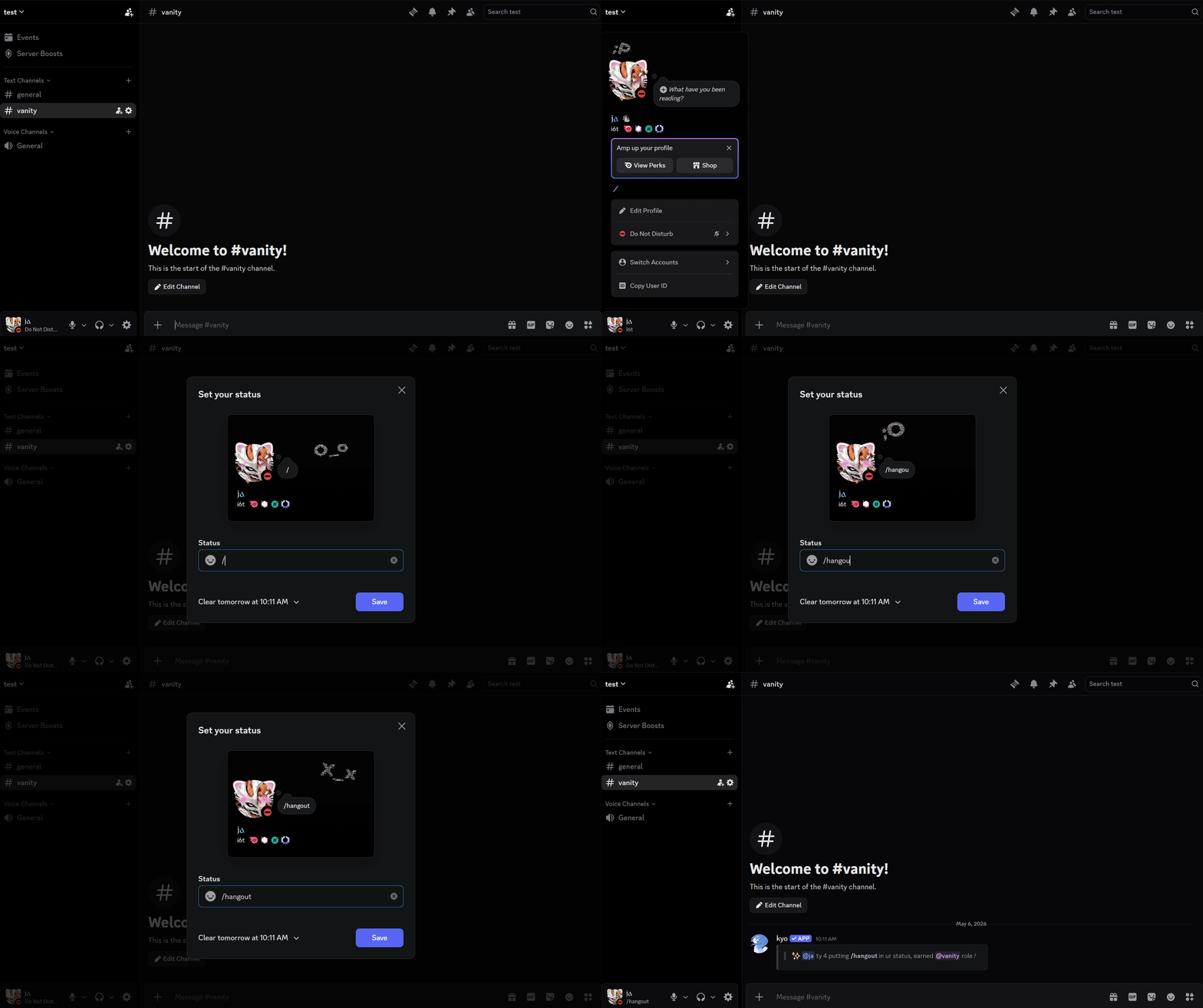
Automatically reward members who promote your server. When a member's custom status includes your configured vanity code, they receive the vanity role. The role is removed when the code is no longer in their status.
Features
| Feature | Description |
|---|---|
| Auto role assignment | Receive the vanity role when your custom status includes the server's vanity code. |
| Auto role removal | Role is removed automatically when the code is no longer in your status. |
| Announcement | An announcement is posted in the designated channel. |
| Vanity code | Configure the exact string members must include in their status to earn the role. |
| Set vanity role | Choose which role is granted and removed based on status detection. |
| Set channel | Choose where vanity announcements are posted. |
| Auto-setup | Automatically creates or finds a channel and role, and detects the server vanity URL. |
| Blacklist | Prevent specific users from receiving the vanity role even if they include the code. |
| View config | Display the current vanity configuration including code, role, and channel. |
| Reset | Clear all vanity settings and blacklist entries for the server. |
Commands
Configure Vanity from the dashboard or via slash commands.
| Command | Description |
|---|---|
/vanity setup | Auto-configures the vanity role, channel, and detects your server vanity URL as the default code. |
/vanity set code | Set the vanity code members must include in their status. |
/vanity set role | Set the role to assign when a member's status matches. |
/vanity set channel | Set the channel where vanity announcements are posted. |
/vanity blacklist add | Prevent a user from receiving the vanity role. |
/vanity blacklist remove | Remove a user from the blacklist. |
/vanity config | View the current vanity configuration for this server. |
/vanity reset | Clear all vanity settings and blacklist entries. |
Vanity Message
Customise the vanity message from the dashboard — that is the only place you can edit it.
Requirements
| Requirement | Description |
|---|---|
| Manage Roles | kyo must have the Manage Roles permission. |
| Role hierarchy | kyo's highest role must be positioned above the vanity reward role. |
| Announcement channel | The announcement channel must allow Send Messages and Embed Links. |
Next Step
- View the full commands reference.
- Pair with Boost Roles for deeper role customisation.